
PituBot · Binance · OKX · Bybit · Bitget
Binance P2P تجزیات اور شماریات ترتیب دیں۔
PituBot مشتہرین اور اہل تاجروں کو مطابقت پذیر Binance P2P آرڈر کی سرگزشت، حجم، اوسط قیمتیں، ادائیگی کے طریقے، تاریخ کی حدود اور تخمینی نتائج کا جائزہ لینے میں مدد کرتا ہے۔
P2P آرڈر کے تجزیات میں کیا شامل ہے۔
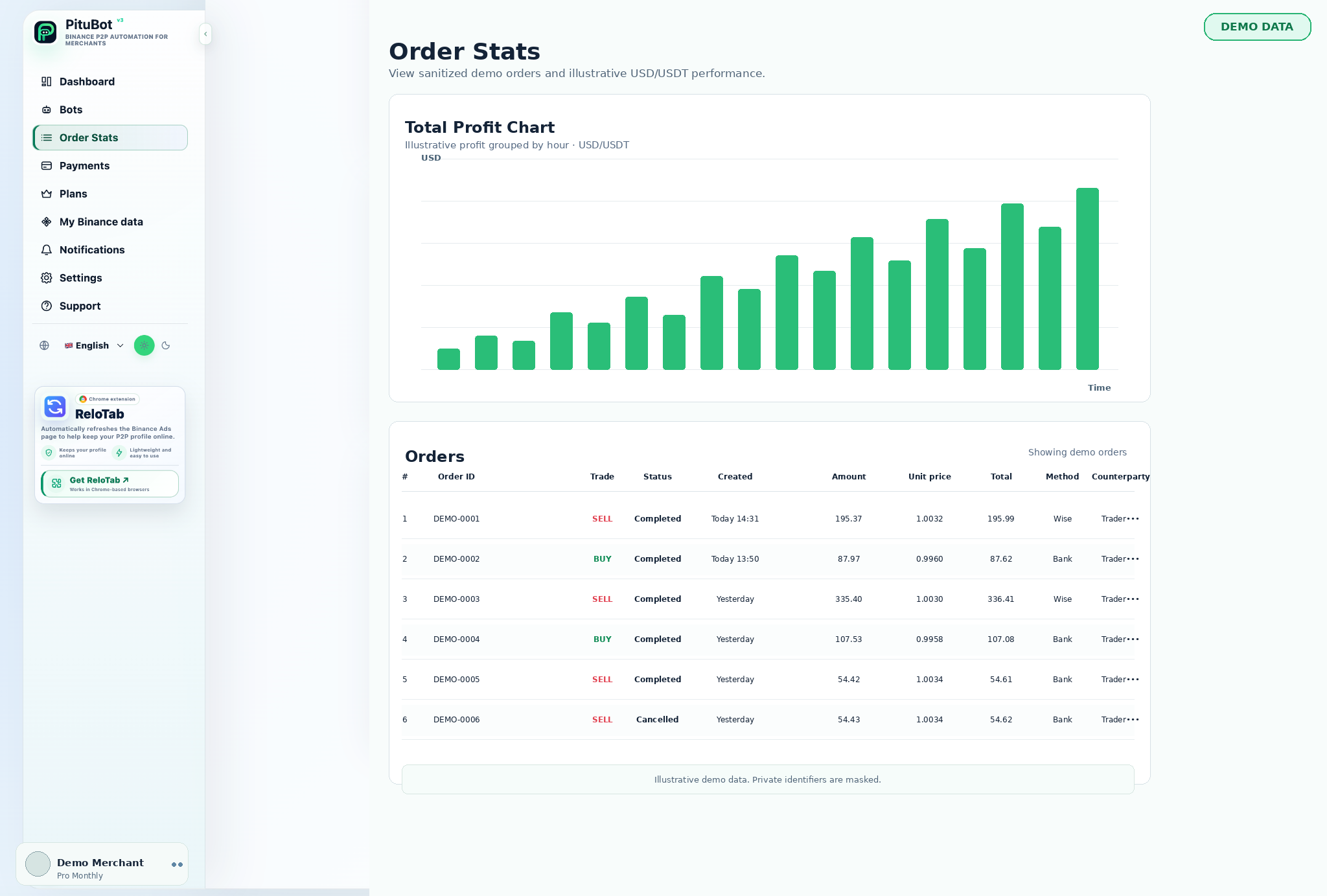
مکمل شدہ BUY اور SELL سرگرمی کا موازنہ کرنے کے لیے آرڈر ڈیش بورڈ کا استعمال کریں، ادائیگی کے طریقہ کار کے مرکب کا معائنہ کریں، اور ایک منتخب مدت کے لیے رجحانات کا جائزہ لیں۔
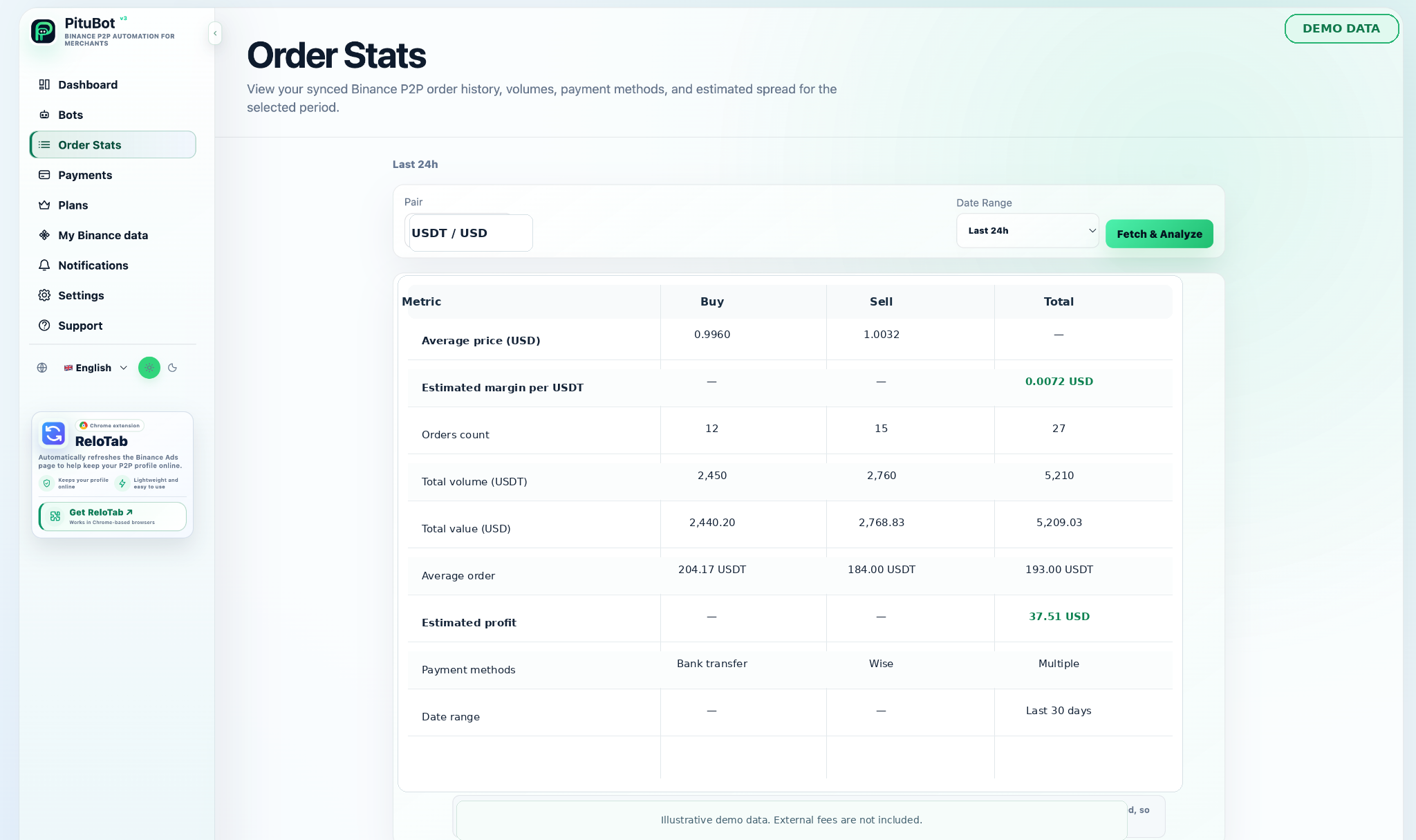
آرڈر اینالیٹکس گروپس نے آرڈر کی سرگزشت کو قابل جائزہ ڈیش بورڈ میں ہم آہنگ کیا۔ یہ ایک مرچنٹ کو منتخب مدت، طرف، اثاثہ، حجم، ادائیگی کا طریقہ، اور ریکارڈ شدہ یونٹ اور کل اقدار کا معائنہ کرنے میں مدد کر سکتا ہے۔
BUY اور SELL آرڈرز کو الگ الگ رکھنے سے مختلف حکمت عملیوں کو ایک نمبر میں یکجا کیے بغیر حصول اور فروخت کی سرگرمی کا موازنہ کرنا آسان ہوجاتا ہے۔
BUY اور SELL آرڈر کا موازنہ
- صرف منتخب اشتہارات اور متعلقہ ادائیگی کے طریقے استعمال کریں۔
- آٹومیشن کو فعال کرنے سے پہلے حدود طے کریں۔
- سرگرمی کا جائزہ لیں اور دستی کنٹرول دستیاب رکھیں
کرپٹو اور فیاٹ میں حجم
ایک والیوم ویو آرڈر کے لیے ریکارڈ کردہ متعلقہ فیاٹ کل کے ساتھ اثاثہ کی رقم دکھا سکتا ہے۔ یہ اقدار جائزہ، مفاہمت اور حکمت عملی پر بحث کے لیے مفید ہیں۔
اوسط قیمت اور آرڈر کا سائز
اوسط قیمتیں اور آرڈر کے سائز کے نمونے کسی منتخب مدت کے اندر تغیر کو نمایاں کر سکتے ہیں۔ حکمت عملی کے بارے میں نتیجہ اخذ کرنے سے پہلے تاریخوں اور ادائیگی کے طریقوں سے ان کا موازنہ کریں۔
ادائیگی کے طریقہ کار کی خرابی۔
ادائیگی کے طریقہ کار کی خرابی ظاہر کرتی ہے کہ کس طرح ریکارڈ شدہ آرڈرز استعمال کیے گئے طریقوں میں تقسیم کیے جاتے ہیں۔ وہ ان طریقوں کی شناخت میں مدد کر سکتے ہیں جو علیحدہ نگرانی یا قواعد کے مستحق ہیں۔
تاریخ کی حد اور رجحان کا تجزیہ
تاریخ کے کنٹرولز ایک تاجر کو موجودہ دن، حالیہ مدت، یا کسی اور منتخب کردہ رینج کا جائزہ لینے دیتے ہیں۔ ٹرینڈ چارٹس کام کی جگہ پر پہلے سے مطابقت پذیر ریکارڈز کا خلاصہ کرتے ہیں۔ وہ مستقبل کے حالات کی ضمانت نہیں دیتے۔
تخمینہ شدہ نتائج اور بیرونی فیس
تخمینی نتائج صرف منصوبہ بندی کی امداد ہیں۔ وہ بیرونی بینک، منتقلی، ادائیگی کا طریقہ، ٹیکس، اور دیگر اخراجات کو خارج کر سکتے ہیں، لہذا تاجروں کو ان اخراجات کا آزادانہ طور پر حساب دینا چاہیے۔
جائزے کے لیے PituBot کنٹرولز
کنٹرولز صاف کریں۔
آٹومیشن کو فعال کرنے سے پہلے ان ترتیبات کا جائزہ لیں جو ہر منتخب ورک فلو پر لاگو ہوتی ہیں۔
متعلقہ سیاق و سباق
ڈیٹا کی تشریح کرتے وقت منتخب جوڑا، سائیڈ، ادائیگی کے طریقے اور تاریخ کی حد استعمال کریں۔
دستی جائزہ
جب بھی مشاہدہ شدہ حالات حکمت عملی کے مطابق نہ ہوں تو ترتیب کو روکیں یا ایڈجسٹ کریں۔
عملی ورک فلو
جڑیں۔
مطلوبہ محدود اجازتوں کے ساتھ ایک اہل اکاؤنٹ کو جوڑیں۔
منتخب کریں۔
ورک فلو سے متعلقہ اشتہارات، ڈیٹا ویو، یا نوٹیفکیشن چینل منتخب کریں۔
ترتیب دیں۔
فیچر استعمال کرنے سے پہلے فلٹرز، حدود اور ترجیحات سیٹ کریں۔
جائزہ لیں
نتائج کا جائزہ لیں اور حالات تبدیل ہونے پر دستی کنٹرول کو برقرار رکھیں۔
ایک عملی جائزہ لینے کا عمل
اعداد و شمار یا منتخب اشتہارات سے شروع کریں جو فیصلے سے متعلق ہوں۔ ترتیب شدہ حالات کو چیک کریں، دستیاب معلومات کا موازنہ کریں، اور جب بھی نتیجہ کو فیصلے کی ضرورت ہو تو دستی جائزہ کا مرحلہ رکھیں۔
اکثر پوچھے گئے سوالات
کیا BUY اور SELL آرڈرز الگ ہیں؟
جی ہاں ڈیش بورڈ واضح جائزہ کے لیے دونوں اطراف کو الگ الگ پیش کر سکتا ہے۔
کیا میں تاریخ کے لحاظ سے آرڈر کے تجزیات کو فلٹر کر سکتا ہوں؟
جی ہاں متعلقہ مدت کا جائزہ لینے کے لیے دستیاب تاریخ کی حد کے کنٹرولز کا استعمال کریں۔
کیا تخمینی نتائج میں ہر قیمت شامل ہے؟
نہیں، بیرونی بینک، منتقلی، ادائیگی کا طریقہ، ٹیکس، اور دیگر اخراجات کو خارج کیا جا سکتا ہے۔
کیا میں ادائیگی کے طریقے کے استعمال کا جائزہ لے سکتا ہوں؟
جی ہاں آرڈر ویو ریکارڈ شدہ ادائیگی کے طریقوں کو گروپ یا شناخت کر سکتا ہے۔
کیا تاریخی ڈیٹا مستقبل کے نتائج کی پیش گوئی کرتا ہے؟
نہیں، تاریخی تجزیات کوئی پیشین گوئی نہیں ہے۔
میں PituBot سے کون سے ایکسچینج جوڑ سکتا ہوں؟
Binance، OKX, Bybit اور Bitget کو PituBot سے جوڑیں۔ مفت P2P اسکینر استعمال کریں اور ایک ہی جگہ پر ایکسچینج کے معاون ٹولز کا نظم کریں۔ دستیاب خصوصیات ایکسچینج اور آپ کے اکاؤنٹ کی اجازتوں پر منحصر ہیں۔
اپنا مفت PituBot ٹرائل شروع کریں۔
ایک اہل اکاؤنٹ کو جوڑیں اور اپنے ورک اسپیس پر دستیاب آرڈر ڈیٹا کا جائزہ لیں۔