
PituBot · Binance · OKX · Bybit · Bitget
About PituBot
PituBot is independent web software for P2P merchants across supported exchanges who want to manage selected advertisements, pricing rules, market monitoring, order data, and alerts in one workspace.
What PituBot is designed to do
The product is built around merchant-controlled settings: the account owner connects a limited API key, chooses which ads to manage, defines boundaries, reviews activity, and can pause or revoke access.
Product principles and operating boundaries
- Independent software, not an exchange-operated product
- Merchant-selected ads and configurable boundaries
- Analytics and monitoring presented as operational information
What PituBot Is
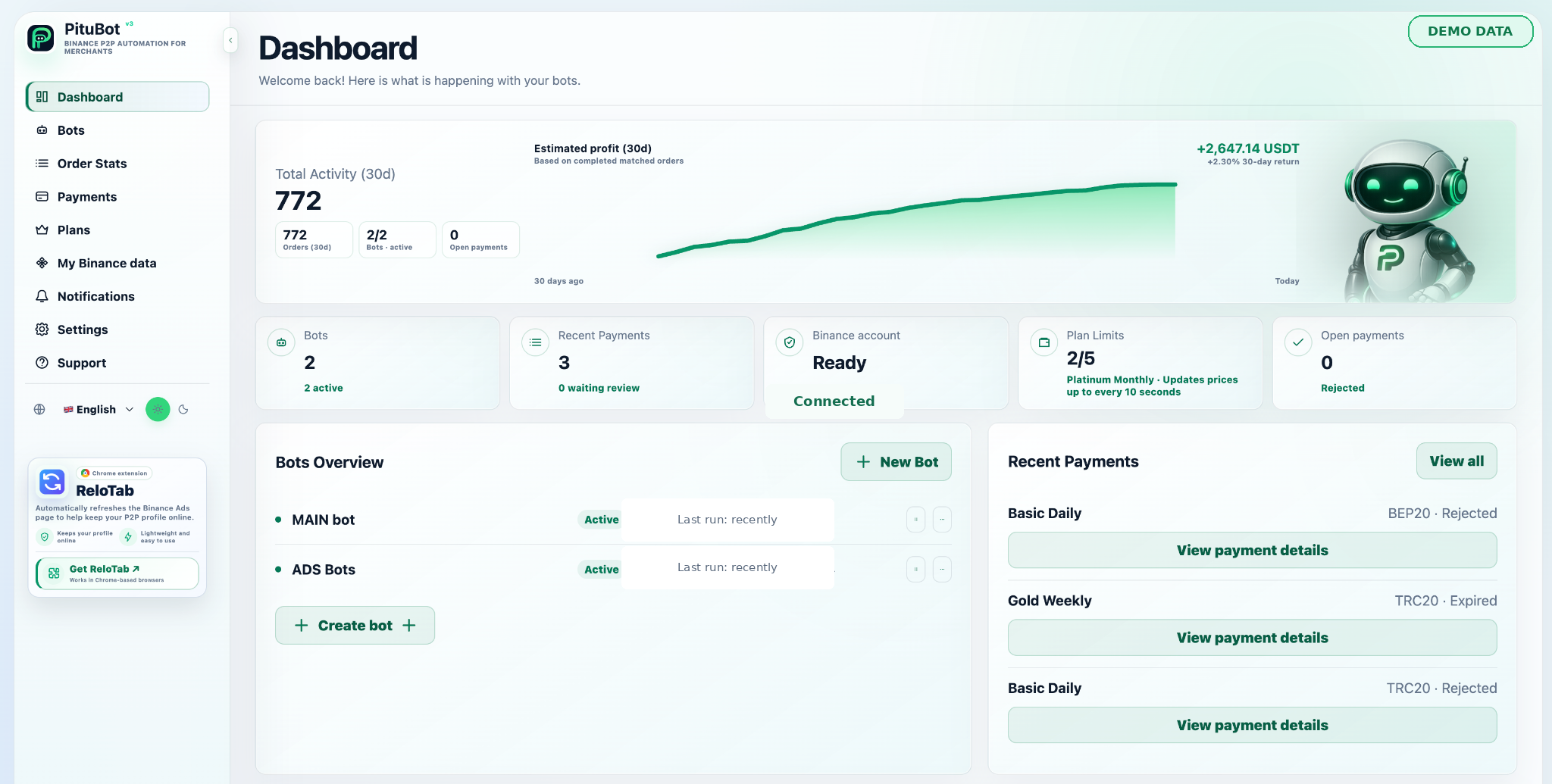
PituBot is a web-based automation and analytics product for eligible Binance P2P merchant workflows. It brings selected advertisements, configurable pricing rules, relevant competitor observations, synchronized order information, merchant statistics, and notification settings into one interface. The purpose is to reduce repetitive monitoring while preserving a clear place for the merchant to review and control the configuration.
PituBot is an independent product. It is not an official Binance product, is not endorsed by Binance, and is not affiliated with Binance or its subsidiaries. Binance determines account eligibility, API availability, marketplace presentation, and the rules that apply to activity on its platform.
Who the Product Is For
The automation workflow is intended for eligible Binance P2P merchants whose accounts can use the required API access. Availability can depend on merchant status, account configuration, region, platform rules, and the permissions made available by Binance. Advertisers who are not eligible for automation may still have access to supported statistics or account features when those options are offered by the selected plan.
PituBot does not determine whether a person should become a P2P merchant, which markets they should operate in, or whether a particular strategy is commercially suitable. Those decisions remain with the account owner.
How Merchant Control Works
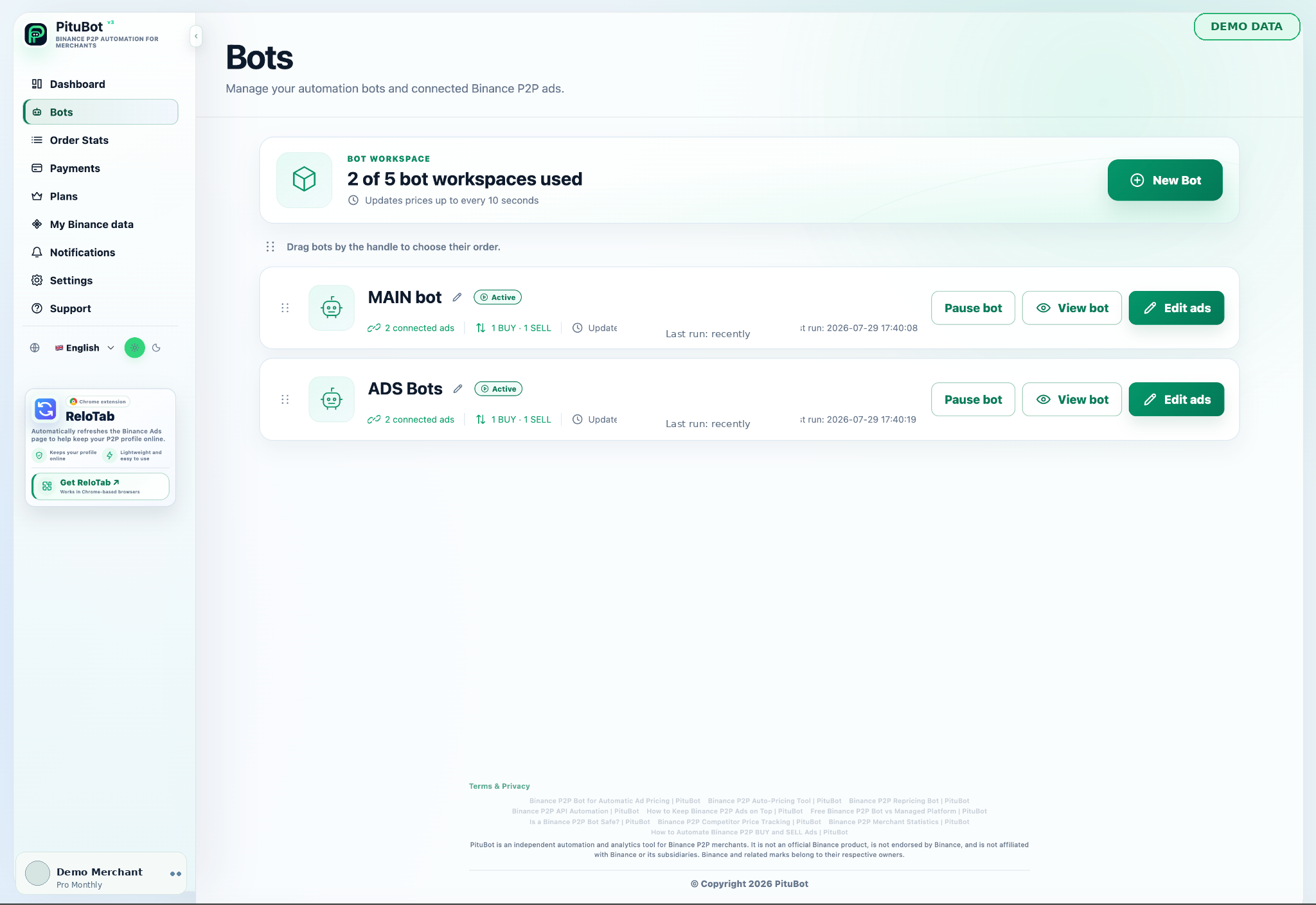
The account owner connects their own eligible account, chooses the advertisements they intend to manage, and defines the rules that apply to each selected workflow. BUY and SELL strategies can be separated, with their own price boundaries, payment-method context, transaction limits, and competitor conditions. Automation can be paused when a merchant wants to inspect or change the setup.
Data, Access, and Account Boundaries
A dedicated API key should use only the permissions required for the supported workflow, with withdrawals disabled. The API connection is used for the permitted account and P2P operations described in the setup and security guidance. PituBot does not hold customer funds and does not need withdrawal access for its advertised functionality.
An account owner can stop a connected bot, disconnect selected advertisements, remove the connection in PituBot, and revoke or delete the API key in Binance. Revoking the key at Binance prevents further authenticated requests using that credential.
What Analytics Can and Cannot Tell You
Order and merchant analytics organize synchronized records and observed market information for operational review. Date ranges, completion state, payment methods, BUY and SELL sides, quantities, and external costs all affect how a result should be interpreted. Historical data is not a promise of future order volume, profit, placement, or market performance.
Merchants should reconcile important figures with their own exchange, payment, accounting, and business records. PituBot does not provide financial, tax, legal, or investment advice.
Product Principles
PituBot’s public documentation follows three practical principles: describe current product behavior without unsupported superlatives, explain risk and permission boundaries in plain language, and make important controls visible before automation is enabled. Product pages use sanitized demonstrations and neutral examples rather than exposing customer information.
The software and documentation will continue to change as product capabilities and platform requirements evolve. Merchants should review the current interface and applicable Binance documentation before changing permissions or operating rules.
PituBot controls to review
Selected scope
The merchant selects the ads and workflows that PituBot is permitted to manage.
Visible boundaries
Price limits, filters, status, and pause controls keep the configured scope reviewable.
Independent product
PituBot clearly distinguishes its software from Binance and avoids implying endorsement.
Practical workflow
Confirm eligibility
Check that the intended Binance P2P merchant account supports the required API workflow.
Limit access
Create a dedicated key with required permissions only and keep withdrawals disabled.
Choose the scope
Select the ads, sides, and monitoring context relevant to the merchant strategy.
Review continuously
Inspect activity, pause unexpected behavior, and revoke credentials that are no longer needed.
Example: begin with a controlled scope
An eligible merchant creates a dedicated API key, connects one selected SELL advertisement, defines a minimum price and relevant payment-method comparison, and reviews the estimate before activation. The merchant watches the first activity records, keeps unrelated ads outside the workflow, and pauses the bot before changing the strategy.
Frequently Asked Questions
Is PituBot part of Binance?
No. PituBot is independent software and is not endorsed by or affiliated with Binance or its subsidiaries.
Does PituBot hold merchant funds?
No. Funds remain in the merchant’s own Binance account, and withdrawal permission is not required for PituBot’s advertised workflow.
Does PituBot manage every advertisement automatically?
No. The merchant chooses which supported advertisements to connect and configure.
Can a merchant pause automation?
Yes. The workflow includes status and pause controls, and the API key can also be revoked at Binance.
Does PituBot guarantee profit or advertisement position?
No. Market conditions and Binance determine outcomes and marketplace presentation; historical analytics and automation do not guarantee results.
Where can I ask an account-specific question?
Use the protected support workspace after signing in, and never include passwords, API Secrets, or authentication codes.
Which exchanges can I connect to PituBot?
Connect Binance, OKX, Bybit and Bitget to PituBot. Explore the free P2P scanner and manage supported exchange tools in one workspace. Available features depend on the exchange and your account permissions.
Explore PituBot
Review the workflow, safety guidance, and available plans before connecting an eligible account.