
PituBot · Binance · OKX · Bybit · Bitget
Binance P2P Ad Management Tool
PituBot gives eligible Binance P2P merchants one workspace for selecting ads, configuring separate BUY and SELL rules, monitoring competitor conditions, and reviewing automation activity.
What Binance P2P Ad Management Includes
Choose the ads you intend to manage, set the relevant payment methods and boundaries, then review the configured automation status before enabling a change.
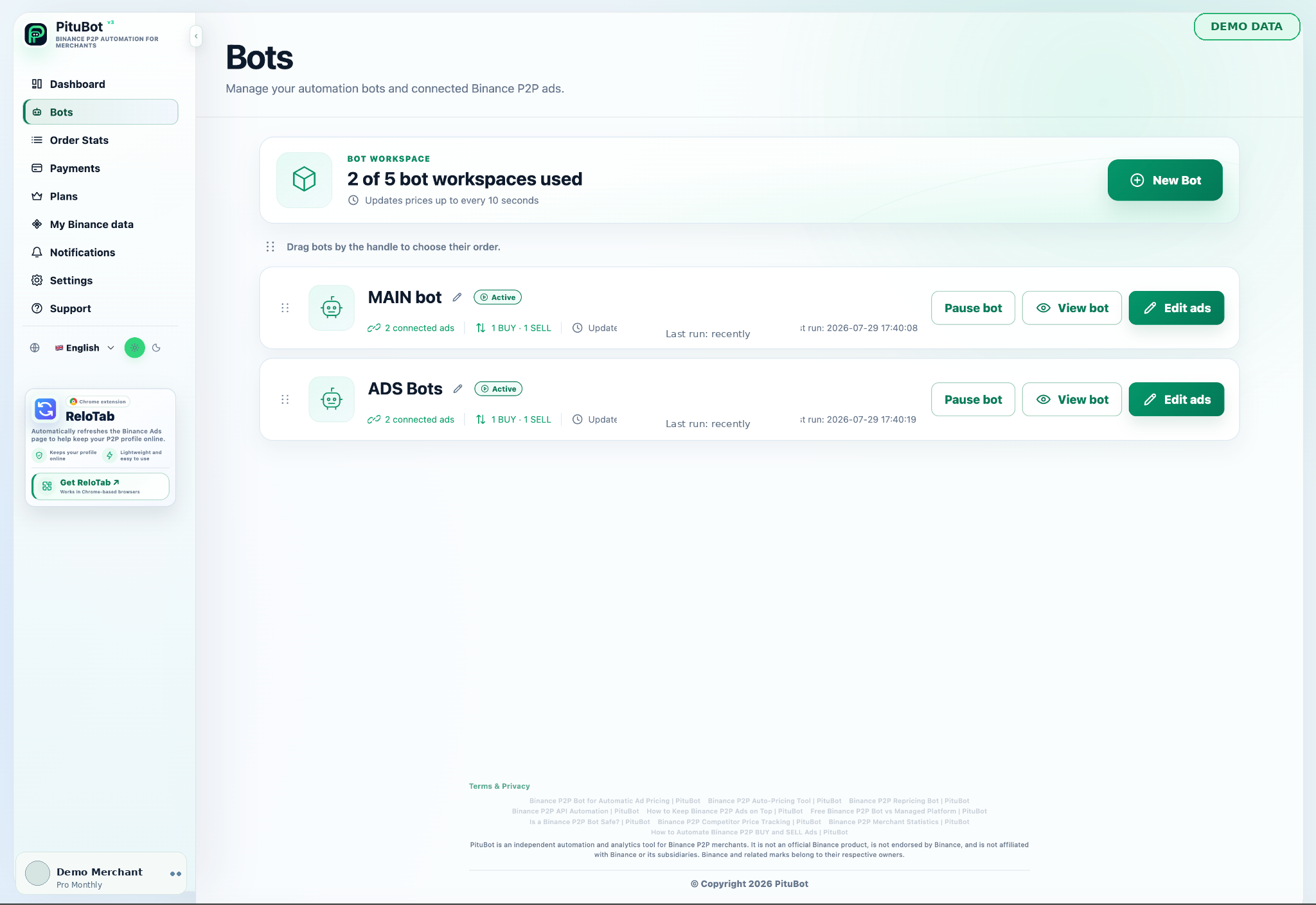
Ad management brings selected ads, their side, price boundaries, transaction limits, payment methods, and current automation state into one reviewable workflow. The merchant decides which ads are connected and can leave other ads unchanged.
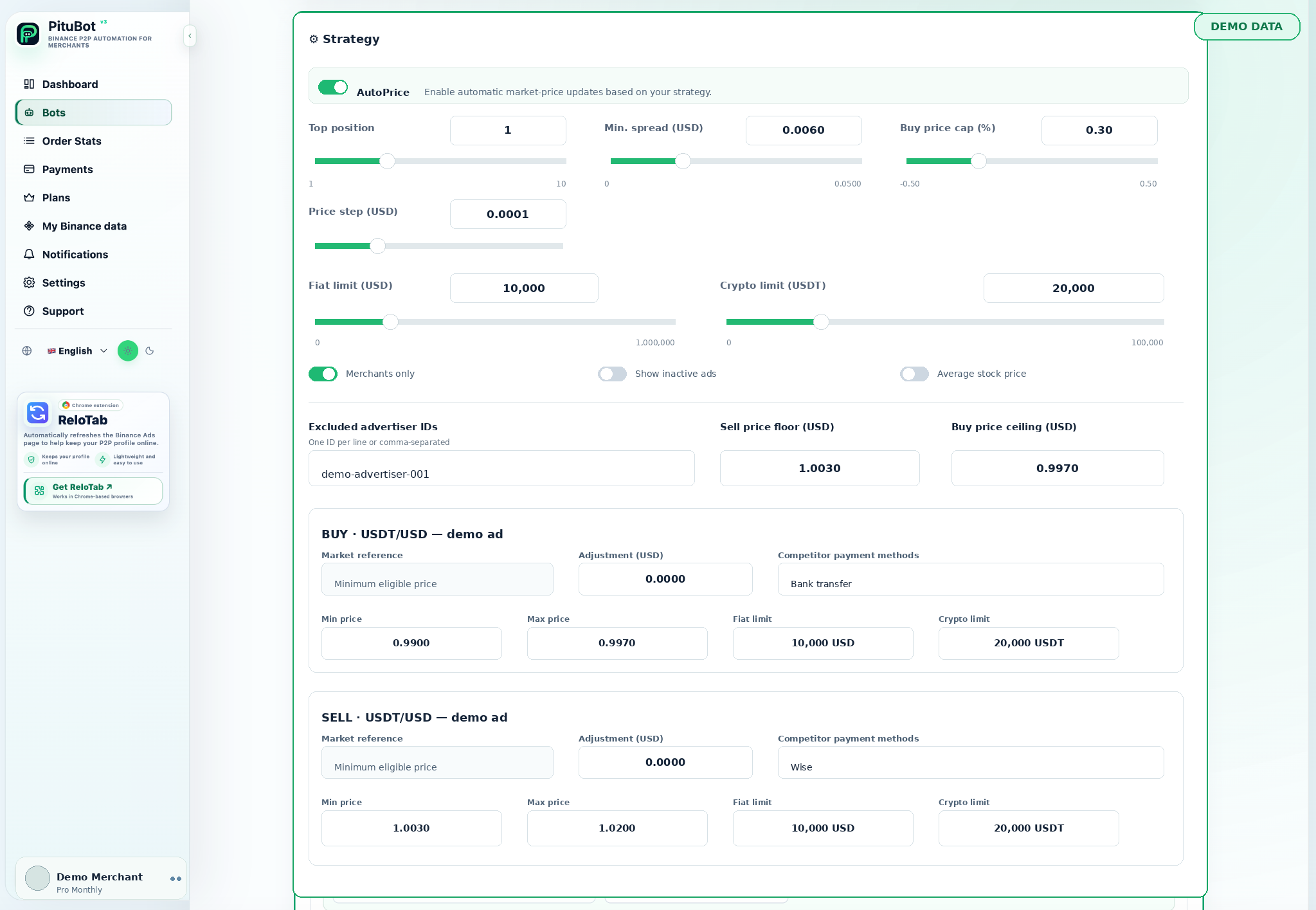
BUY and SELL ads have different goals and can need different price rules. Separate controls make it possible to choose an appropriate comparison side, boundaries, and update behavior for each selected ad.
Manage BUY and SELL Ads Separately
- Use only selected ads and relevant payment methods
- Set boundaries before enabling automation
- Review activity and keep manual control available
Choose Relevant Payment Methods
Payment-method selection helps keep comparisons meaningful. A rule can focus on offers that use the payment methods relevant to the selected ad instead of treating every market listing as identical.
Set Price and Transaction Boundaries
Before enabling any automatic update, define the price range and transaction limits that fit the ad. Boundaries are guardrails for a configured workflow; they do not replace the merchant’s judgment or account review.
Review Ad Status and Bot Activity
The workspace makes it easier to check whether an ad is selected, whether automation is paused or active, and what conditions are being evaluated. Reviewing this state after a rule change helps prevent unintended use of old settings.
When an Ad Should Remain Unchanged
An ad should remain unchanged when the available comparison is not relevant, the proposed value falls outside a boundary, the ad is unavailable, or the merchant wants to pause. A manual review is appropriate whenever the market signal does not match the strategy.
PituBot controls to review
Clear controls
Review the settings that apply to each selected workflow before enabling automation.
Relevant context
Use the selected pair, side, payment methods, and date range when interpreting data.
Manual review
Pause or adjust a configuration whenever the observed conditions do not fit the strategy.
Practical workflow
Connect
Connect an eligible account with the required limited permissions.
Select
Select the ads, data view, or notification channel relevant to the workflow.
Configure
Set filters, boundaries, and preferences before using the feature.
Review
Review the result and retain manual control when conditions change.
Example: review three selected ads
A merchant connects two BUY ads and one SELL ad. Before enabling automation, they verify each ad’s payment methods, minimum and maximum price, relevant competitor filters, and current status separately, then pause any ad whose rules do not match the intended market.
Frequently Asked Questions
Can I manage only selected ads?
Yes. The workflow is designed around the ads a merchant chooses to connect and configure.
Can BUY and SELL rules be different?
Yes. Each side can use its own boundaries, payment-method selection, and competitor conditions.
Do payment methods affect comparisons?
They can. Limiting a comparison to relevant methods can make the observed offers more useful for a selected ad.
Can I pause an ad workflow?
Yes. Review the automation state and pause it before changing rules or when manual control is preferred.
Does automation guarantee an ad position?
No. Position depends on market and platform factors, and automation does not guarantee placement.
Which exchanges can I connect to PituBot?
Connect Binance, OKX, Bybit and Bitget to PituBot. Explore the free P2P scanner and manage supported exchange tools in one workspace. Available features depend on the exchange and your account permissions.
Start Your Free PituBot Trial
Connect an eligible account, select the ads you want to manage, and review the configuration before activating automation.