
PituBot · Binance · OKX · Bybit · Bitget
How to Automate Binance P2P BUY and SELL Ads
BUY and SELL ads should not share one generic automation rule. PituBot lets merchants configure each selected ad independently so payment methods, price boundaries, market references, and final estimates reflect the different purpose of each side.
How separate BUY and SELL strategies work
Create a strategy for each side, choose comparable payment methods, set price limits, review the estimate, and enable updates only when the rules match your intended operation.
BUY and SELL strategy controls
- Set separate BUY and SELL boundaries
- Choose relevant payment methods for each ad
- Review both estimates before saving or enabling automation
Why BUY and SELL need separate strategies
A BUY ad concerns the maximum price a merchant is prepared to pay. A SELL ad concerns the minimum price a merchant is prepared to accept. Their payment methods, order limits, and relevant competitor offers can differ even when they use the same asset/fiat pair.
Combining them into one target price hides those differences. PituBot presents the connected ads and strategy cards separately so each side can be reviewed before a price update is allowed.
- Different objectives
- Different bounds
- Different payment-method comparisons
Configure a BUY ad deliberately
Start with the ad's pair, selected competitor payment methods, and intended order range. Set a maximum BUY price or an eligible market-reference rule. Review the BUY estimate against the current filtered BUY list before saving.
If the current candidate is below the merchant's intended position, a lower candidate can be valid. If it would exceed the configured BUY maximum, the boundary prevents it. The account safety check is applied after normal ad rules, not instead of them.
Configure a SELL ad deliberately
For the SELL ad, select the methods and limits that matter to its buyer. Set a minimum SELL price or eligible market-reference rule, then inspect the SELL estimate against comparable SELL offers. A SELL candidate may move lower only when it remains above the merchant's configured floor and passes the other checks.
Do not use a BUY offer as the direct reference for a SELL ad. The side is part of the market definition.
Learn which competitor filters keep BUY and SELL comparisons relevant.
Illustrative two-side configuration
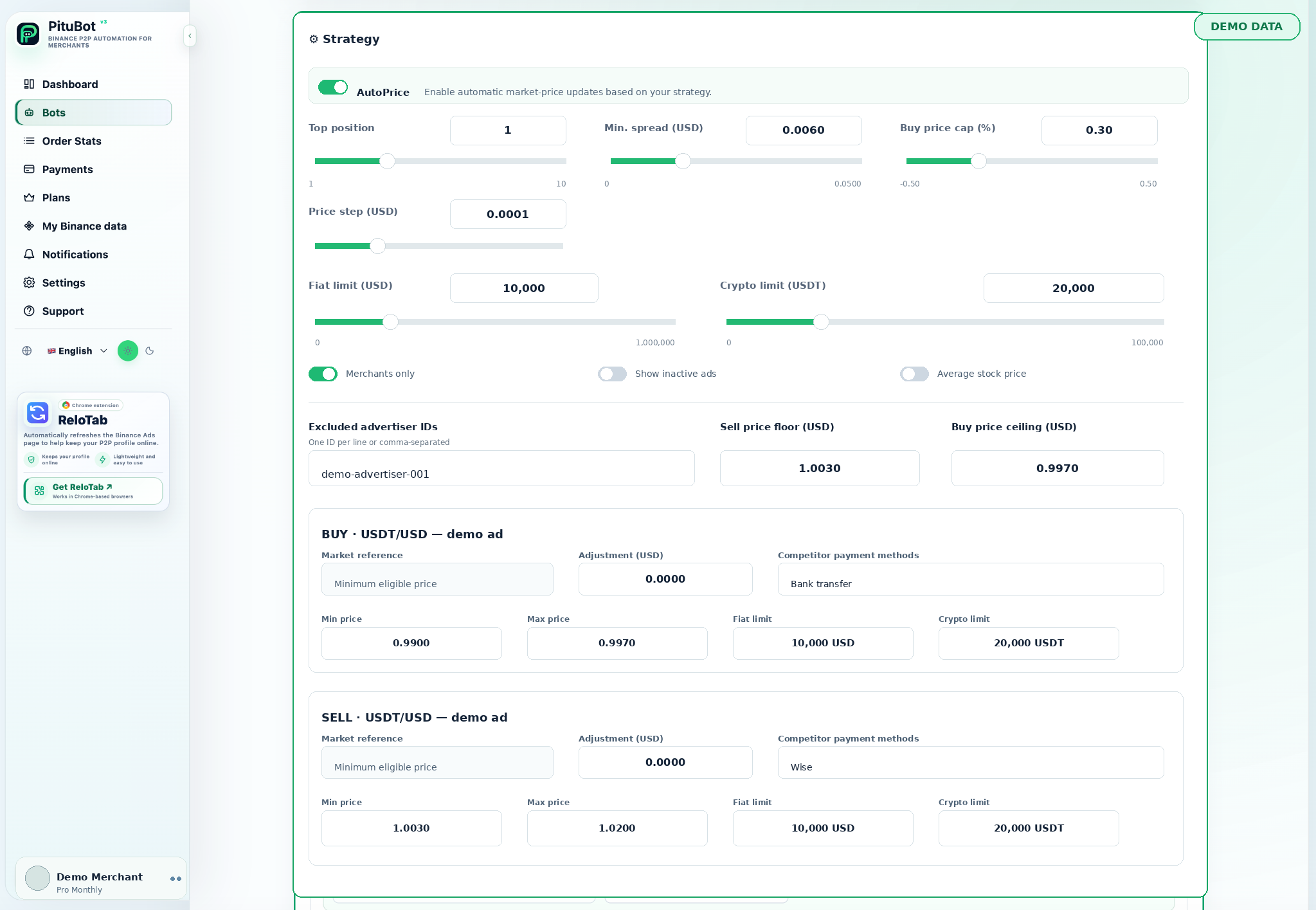
Illustrative setup: the BUY USDT/USD ad accepts one selected payment method and has a maximum of 0.997 USD per USDT. The SELL USDT/USD ad accepts two selected payment methods and has a minimum of 1.002 USD per USDT. Their estimates are displayed separately before the merchant confirms the settings.
A competitor move can change one estimate without changing the other. That is expected: each side sees its own filters, bounds, and valid market conditions.
Final account safety check
After the normal strategy rules produce a candidate, PituBot can apply the configured same-side account safety logic. This last check prevents active ads of the same side and pair in the same account from being placed too close together when the safety gap applies.
The safety logic does not replace the merchant's first rules. It chooses the nearest safe place only after filters and bounds have been respected. If no safe placement exists, the valid result can be no update.
Make changes in the correct order
Configure the normal ad rules first: the right side, comparator payment methods, intended limits, and the relevant minimum or maximum. Review the separate BUY and SELL estimates before confirmation. Only after those ordinary rules produce a candidate should the final same-side account safety check decide whether the candidate can coexist with other active ads of the same pair.
This order matters because a safety gap should not become the pricing strategy. It is a last protection against an unsafe account-level placement, not a reason to ignore an ad’s own floor, ceiling, or competitor filters. If the nearest safe placement violates the original rule, the safe result is no update.
Review each side after an order or market change
A completed SELL order, an inventory change, or a new payment method can make the existing SELL rules less suitable without changing the BUY objective. Likewise, a BUY-side competitor change may justify reviewing the BUY card only. Keeping the cards independent lets the merchant make a narrow correction instead of changing both sides because one market moved.
Use the separate competitor columns and estimates to explain the difference. A shared pair name is not a shared commercial objective, so a shared target price is usually not a reliable control.
PituBot controls to review
Independent cards
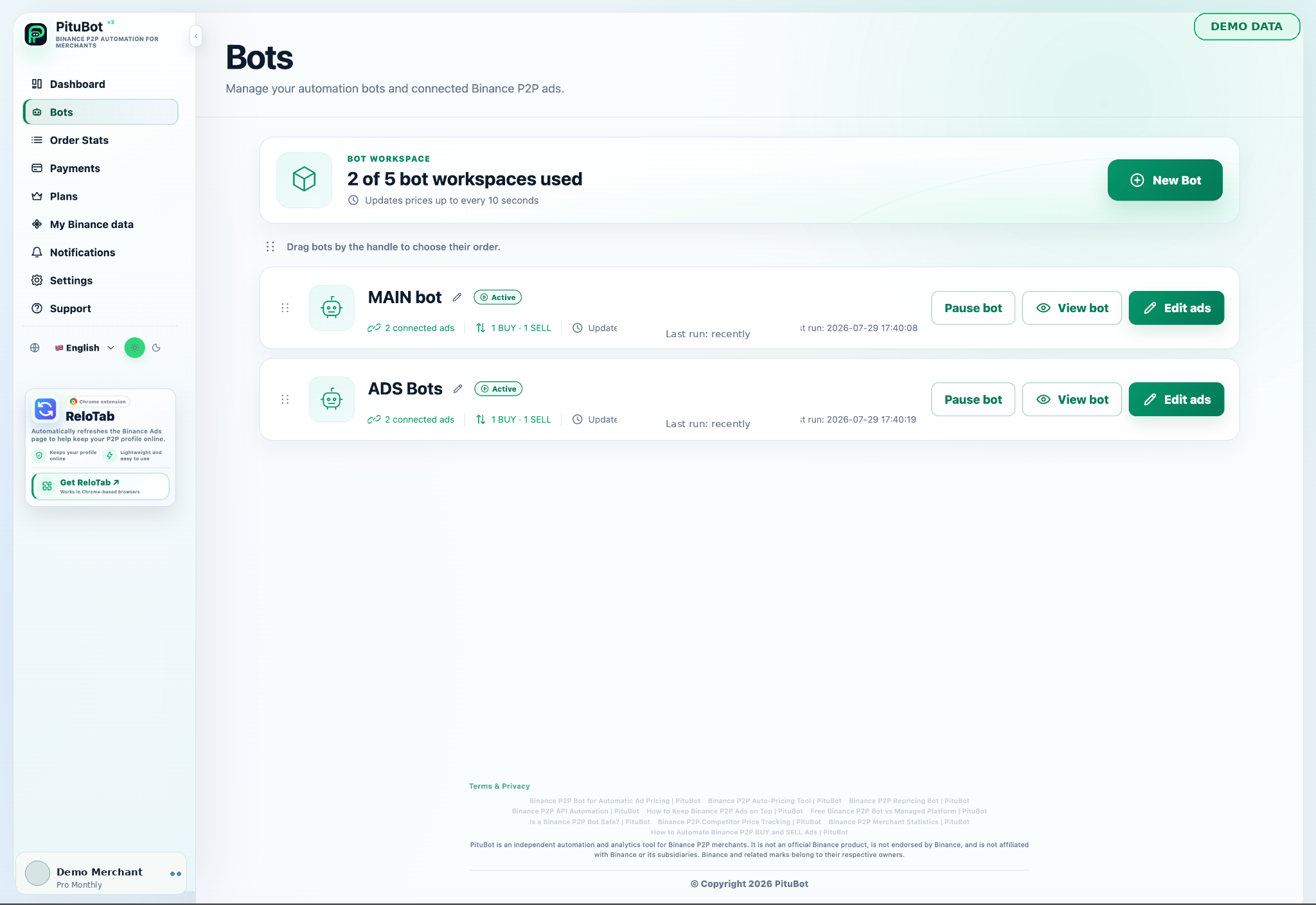
Configure connected BUY and SELL ads independently.
Current estimate
Review both sides before saving settings.
Per-ad comparison
Choose competitor payment methods per ad.
Final safety logic
Apply account-level same-side protection after normal rules.
Practical workflow
Select BUY
Set relevant payments and a maximum or market rule.
Select SELL
Set its own payments and a minimum or market rule.
Review estimates
Check both current candidates before save.
Confirm settings
Save only rules that reflect the intended range.
Monitor
Use recent runs to see whether each side changes or skips.
Separate estimates avoid a false shared target
A merchant sees a 0.997 USD per USDT BUY estimate and a 1.003 USD per USDT SELL estimate for the same pair. The different numbers are not an error; they reflect separate competitors, separate payment methods, and separate limits.
The merchant checks each one before confirming. If the BUY estimate is too high, they adjust the BUY rule without weakening the SELL floor. If the SELL estimate is outside its range, they adjust the SELL rule instead.
Frequently asked questions
Can PituBot automate BUY and SELL ads together?
They can be managed in the same workspace, but each ad should have its own strategy settings.
Why are separate limits important?
The acceptable commercial range for a BUY ad can differ materially from the acceptable range for a SELL ad.
Can I review an estimate before saving?
Yes. PituBot calculates and displays the current strategy estimate before confirmation.
Does the safety gap replace my ad rules?
No. Normal ad filters and boundaries are evaluated first; the account safety check is final.
Can I pause just because one side looks wrong?
Pause the relevant bot and review its connected ads and settings before re-enabling it.
Will BUY and SELL always move in opposite directions?
No. Each side reacts to its own valid market conditions and configured boundaries.
Which exchanges can I connect to PituBot?
Connect Binance, OKX, Bybit and Bitget to PituBot. Explore the free P2P scanner and manage supported exchange tools in one workspace. Available features depend on the exchange and your account permissions.
Start your free PituBot trial
Create an account, connect only the merchant account and ads you intend to manage, then review the configuration before enabling automation.