
PituBot · Binance · OKX · Bybit · Bitget
Binance P2P Automation Bot for Merchants
PituBot gives eligible Binance P2P merchants one workspace for selected ads: competitor monitoring, controlled price rules, order history, statistics, and plan-based Telegram alerts. It is designed to make a merchant's own rules visible before any automation is enabled.
What the PituBot workspace includes
PituBot connects to your own merchant account through API credentials and lets you control price limits, competitor filters, notifications, and automation status.
PituBot workspace controls
- Keep BUY and SELL strategies separate
- Apply ad-specific price boundaries before an update is permitted
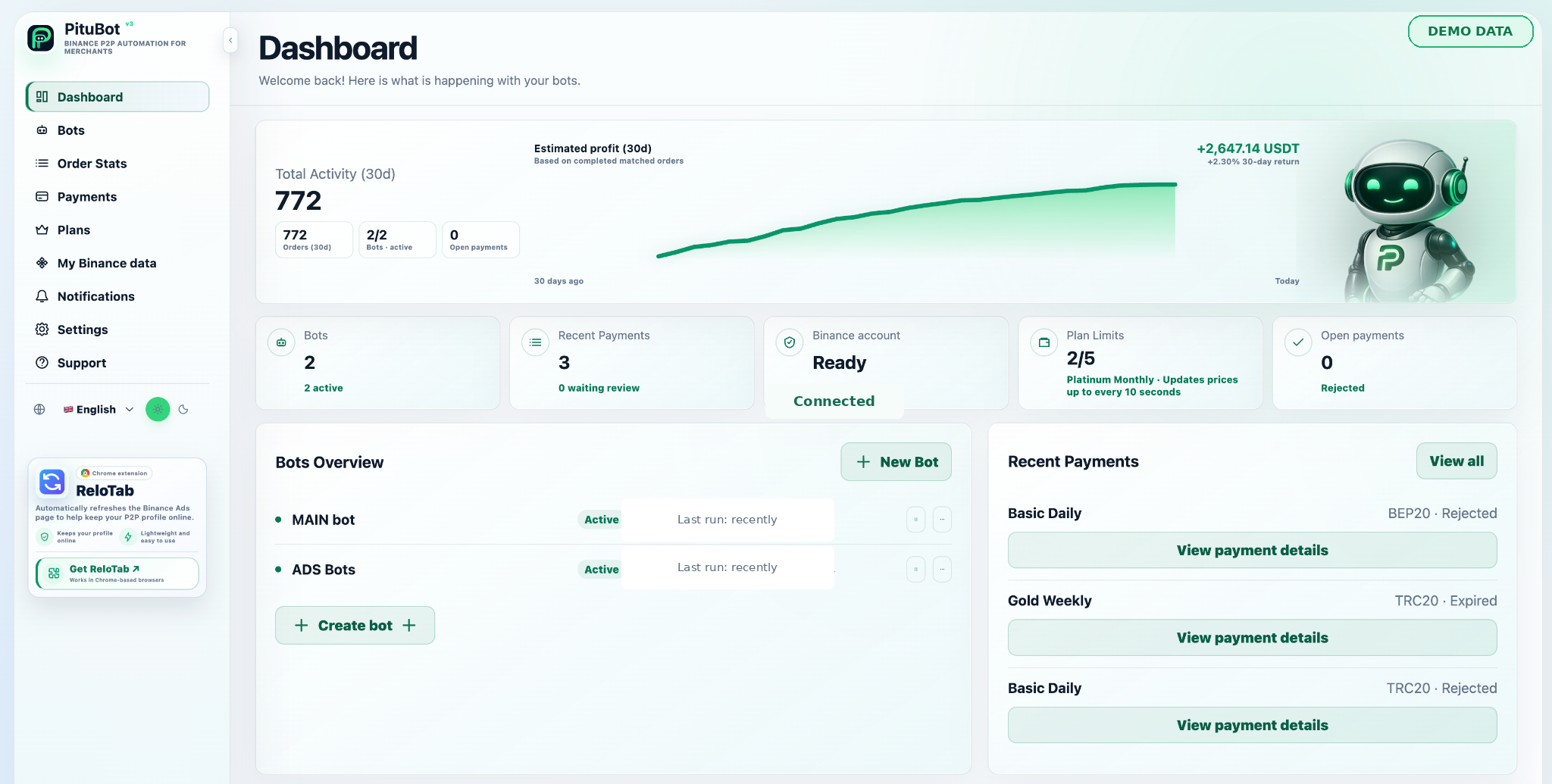
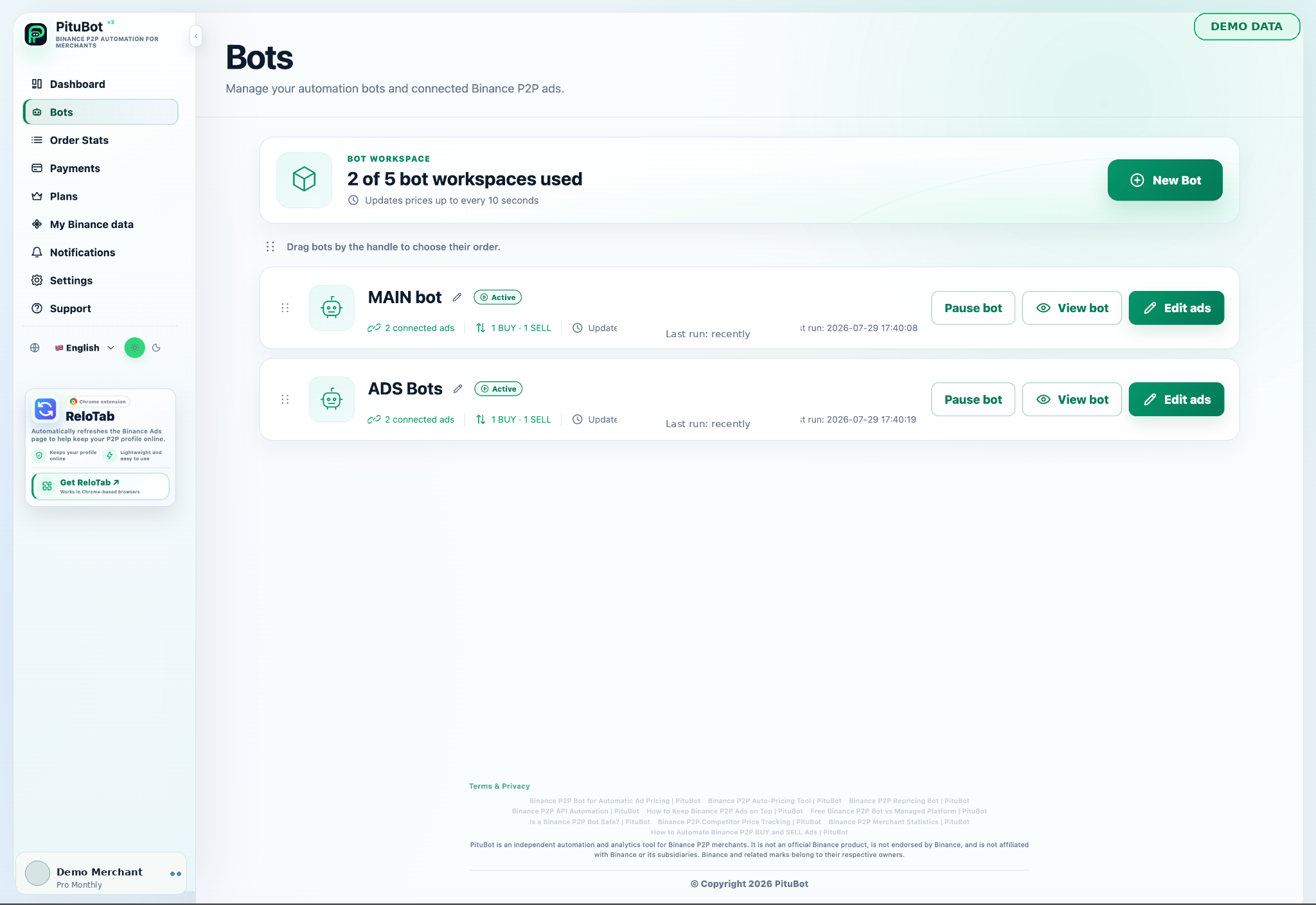
- Review competitor conditions, bot activity, orders, and statistics in one workspace
The daily P2P tasks a bot can organize
Manual repricing becomes difficult when a merchant watches several active offers, multiple payment methods, and changing order limits. A useful P2P bot does not simply chase the first price on a list. It brings the comparable offers, the merchant's strategy limits, and the current status of each selected ad into the same review flow.
PituBot separates the work into practical decisions: which ads may be managed, which competitor payment methods are relevant, what price range is acceptable, and whether the bot is active. This makes it possible to inspect the reason for a proposed update instead of treating pricing as a black box.
- Manual price checks across many active ads
- Monitoring comparable offers rather than every visible offer
- Order and performance review alongside strategy settings
How a controlled PituBot workflow works
First connect an eligible merchant account, then choose the ads you want to manage. For each ad, define relevant competitor payment methods and any price or transaction-limit boundaries. Configure the bot while it is paused, inspect the estimate, and enable only after the rules match your operating objective.
After activation, PituBot checks market conditions for the selected ads and records bot activity. If a candidate price cannot satisfy the configured filters or boundaries, retaining the current price can be the correct outcome. Automation is therefore a repeatable review process, not a promise of a particular rank or profit.
- Connect and validate the merchant account
- Choose ads and set independent BUY and SELL rules
- Review visible strategy estimates and recent runs
Core controls for active merchants
Price floors and ceilings are merchant controls. Payment-method selection helps compare offers that can actually compete. Fiat and crypto limits narrow the intended transaction range. Higher plans can expose additional filters, but broader filters are not automatically better: an unrelated offer can produce a misleading market signal.
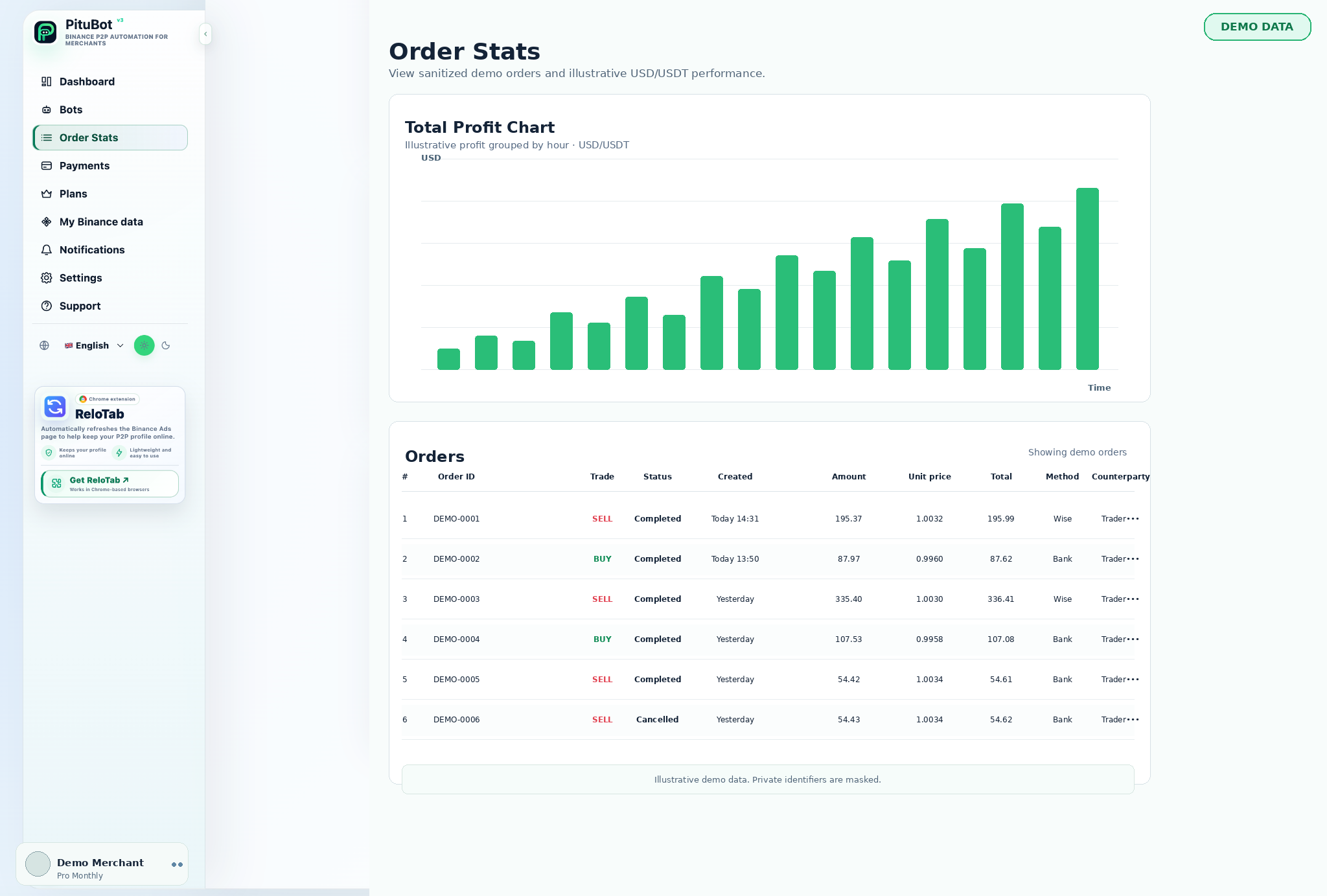
The workspace also keeps order statistics separate from price automation. Completed-order counts, volumes, average prices, payment-method breakdowns, and available history provide context for a decision; they do not guarantee a future result.
- Automatic pricing with manual pause control
- Competitor filters by side, payment method, limits, activity, and plan features
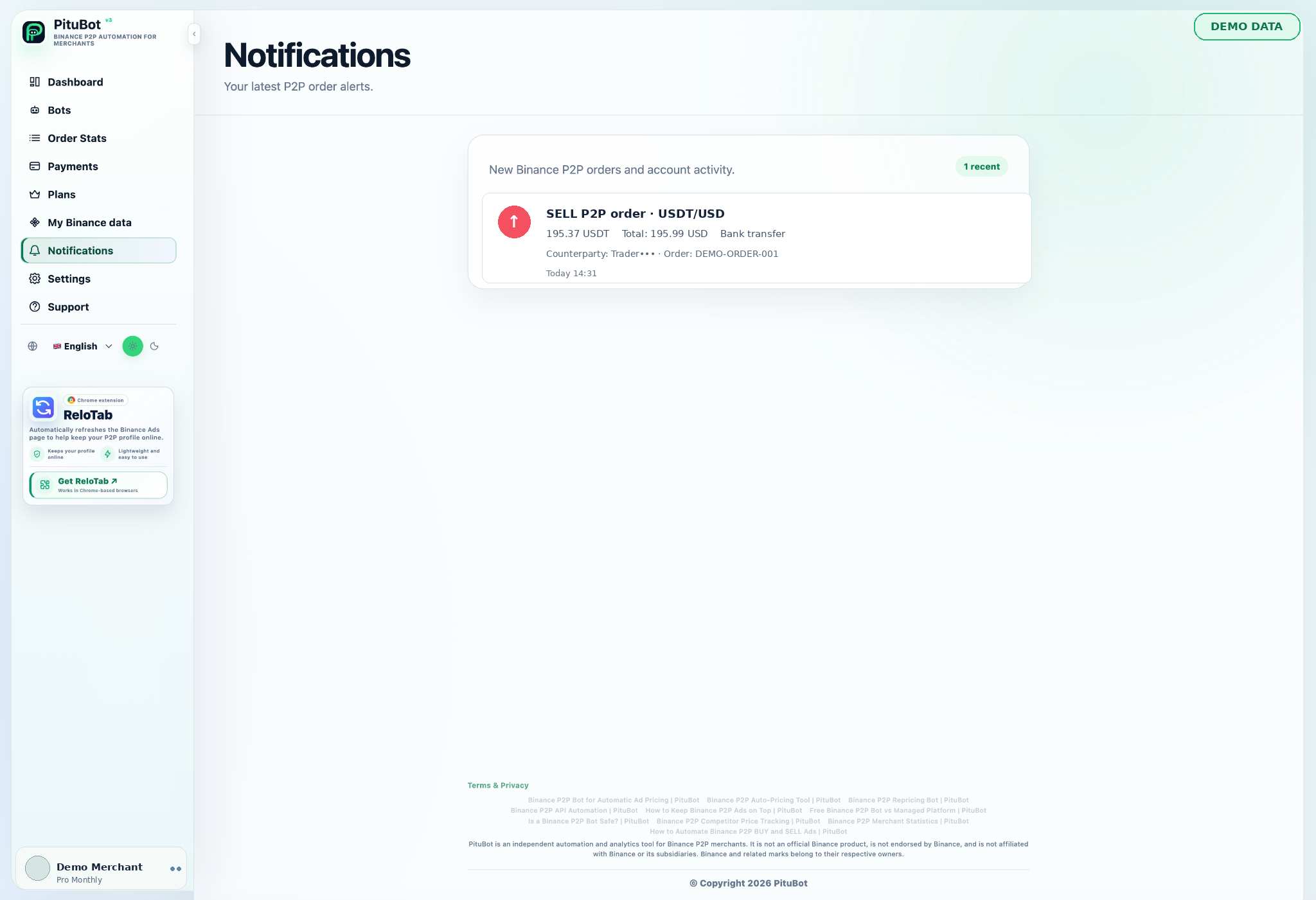
- Order monitoring, statistics, and eligible Telegram order alerts
Illustrative BUY and SELL setup
Illustrative BUY example: a USDT/USD BUY ad accepts two selected payment methods and has a maximum permitted price. PituBot evaluates comparable active BUY offers, creates a candidate inside that maximum, then applies the account safety checks before requesting an update. A low offer that cannot meet the ad's transaction range is not a valid target.
Illustrative SELL example: the SELL ad uses its own payment methods and a minimum permitted price. Its market reference can differ from the BUY side. If the comparable market drops below the merchant's floor, the configured boundary prevents the bot from following it below that range.
- A BUY ceiling can be different from a SELL floor
- Selected payment methods determine relevant comparison
- Example values are illustrative, not a pricing recommendation
Who benefits from a structured workspace
The workflow can suit merchants who want a clearer way to monitor one ad or several ads, including merchants progressing through Binance merchant levels, higher-volume operators, and teams that need a shared view of strategy settings and recent activity. It is not a substitute for an exchange account review, customer-service process, or risk policy.
Start narrow. Connect only the ads you understand, use conservative boundaries, and review the outcome before expanding the setup. For a detailed permission checklist, read the safety guide before creating API access.
Read the Binance P2P bot safety guide before connecting API access.
A practical operating routine
A useful routine has a beginning, a live-review period, and a stop condition. At the beginning of a shift, review the bot state, selected ads, payment-method filters, and the price ranges that are currently allowed. During the day, use the competitor board to understand why an ad is near a particular market position rather than judging a change from the final number alone.
At the end of a review period, compare bot activity with the synced order view. A change in price can be reasonable while a change in completed-order mix, payment availability, or order size may require a different strategy. Keeping those observations together gives a merchant a way to decide whether to retain, narrow, pause, or revise a rule.
- Check the bot is active only when its strategy is understood
- Review both market conditions and completed-order context
- Pause first when an output cannot be explained
What a bot does not decide for the merchant
PituBot does not decide which bank methods you should offer, how much inventory to hold, which customers to trade with, or what commercial margin is appropriate. Those are merchant decisions. The product can organize the comparison and apply the limits you choose, but it cannot know a business objective that has not been expressed in the ad settings.
That boundary is important for new operators. Start with a small, observable configuration and keep manual control available. A deliberate no-update is preferable to an automatic reaction to conditions that do not meet the rules you intended.
Before expanding beyond the first ads
Expansion should follow evidence, not the number of available ad slots. After a first BUY or SELL configuration has run through normal market changes, check whether its competitor set remains relevant, whether its boundary has caused skips, and whether its activity is understandable from the strategy. Only then repeat the process for another ad or payment method.
A second ad may serve a different transaction band or bank method and should therefore receive its own settings. Copying a successful range without checking that the side, payment conditions, and order limits are comparable can create a rule that appears consistent while using the wrong market signal.
Keep a short operating record during this first expansion: what changed in the competitor set, whether the price was updated or skipped, and which limit explained the result. That record gives the merchant a practical basis for changing one rule at a time instead of guessing after several controls move together.
- Validate one controlled setup before adding another
- Give each materially different ad its own competitor definition
- Use recent runs to explain skips as well as updates
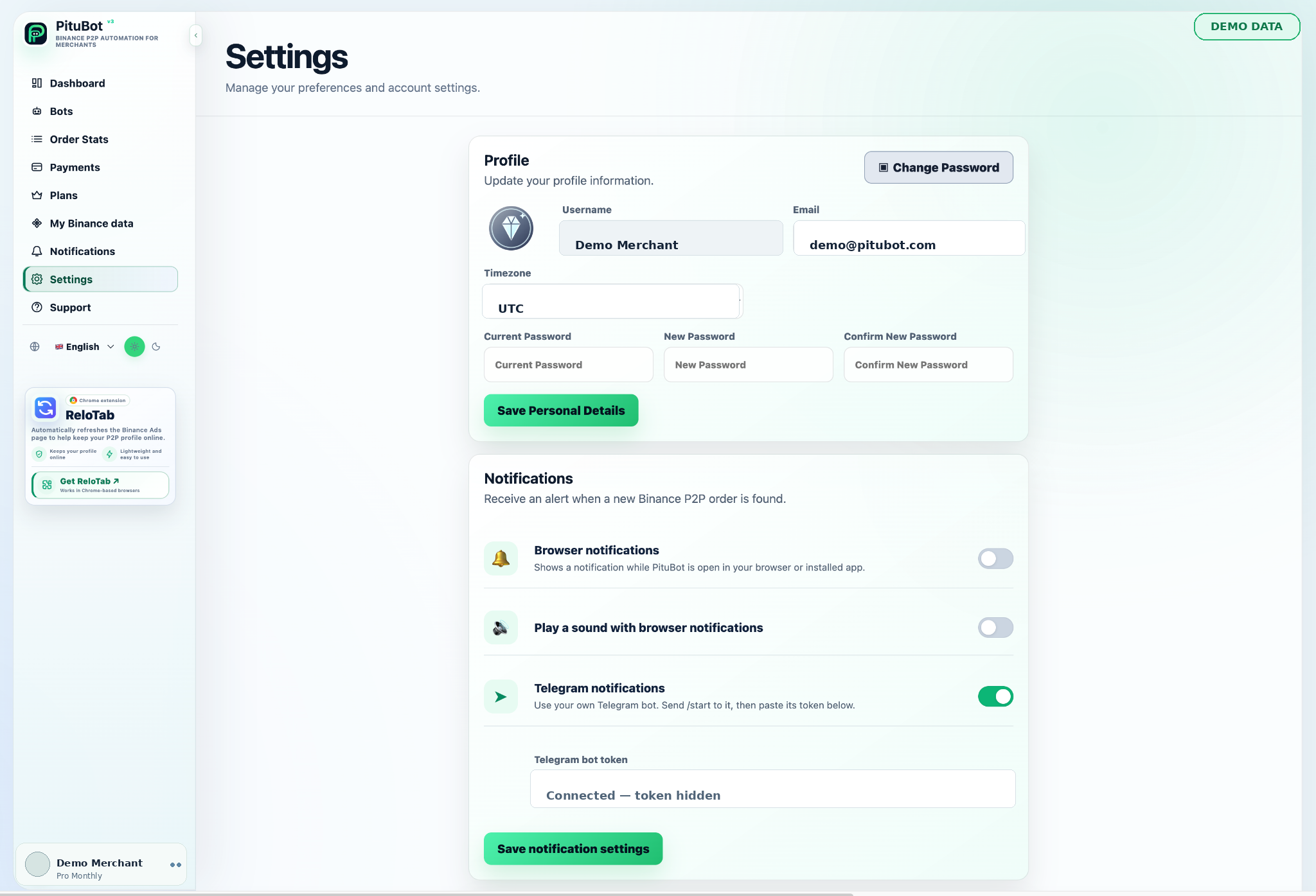
PituBot controls to review
Strategy settings
Set price limits, relevant payment methods, and plan-available filters per managed ad.
Competitor view
Review comparable active offers by pair, side, limits, and payment method.
Order insight
Use synced order history and statistics to review operating activity.
Notifications
Eligible plans can configure Telegram order notifications; browser notifications are configured in settings.
Practical workflow
Connect
Create a dedicated key with only required access, then validate the merchant account.
Choose ads
Attach only the BUY and SELL ads you intend to manage.
Set boundaries
Choose relevant filters and an acceptable range for every ad.
Review
Inspect the estimate and pause state before activation.
Monitor
Review activity, order information, and statistics as market conditions change.
A connection-to-monitoring example
A merchant begins with one BUY and one SELL USDT/USD ad. They connect a dedicated API key, select only the payment methods actually offered on each ad, and add separate bounds. The BUY estimate is reviewed against the comparable BUY list; the SELL estimate is reviewed separately. Nothing is enabled until both settings make sense.
Once active, the merchant checks recent bot runs and the order dashboard after normal operating periods. If a comparable offer disappears or a payment method stops being relevant, the merchant edits the strategy instead of assuming an old rule still fits.
Frequently asked questions
What is a Binance P2P bot?
It is software that helps a merchant monitor selected P2P ads and apply configured strategy rules. PituBot combines ad settings, competitor comparisons, activity, orders, and statistics in one workspace.
Who can use PituBot?
It is intended for eligible Binance P2P merchants who can connect their own account and configure their own ads. Availability also depends on account, plan, and exchange conditions.
Does PituBot work when my computer is off?
PituBot runs as a hosted workspace rather than requiring a browser tab to remain open. You should still review the bot status and your own account regularly.
Can PituBot manage BUY and SELL ads?
Yes. BUY and SELL ads can be managed in the same workspace, but they should use independent rules, filters, and price boundaries.
Can a bot guarantee a top ad position?
No. Binance controls marketplace visibility and live conditions change. PituBot can help monitor relevant offers and apply the rules you configure; it cannot guarantee placement or profit.
What happens if no comparable offer matches my rules?
The safe result can be no update. A price should not be guessed from an offer that fails the selected side, payment, activity, or limit conditions.
Which exchanges can I connect to PituBot?
Connect Binance, OKX, Bybit and Bitget to PituBot. Explore the free P2P scanner and manage supported exchange tools in one workspace. Available features depend on the exchange and your account permissions.
Start your free PituBot trial
Create an account, connect only the merchant account and ads you intend to manage, then review the configuration before enabling automation.