
PituBot · Binance · OKX · Bybit · Bitget
Contact PituBot Support
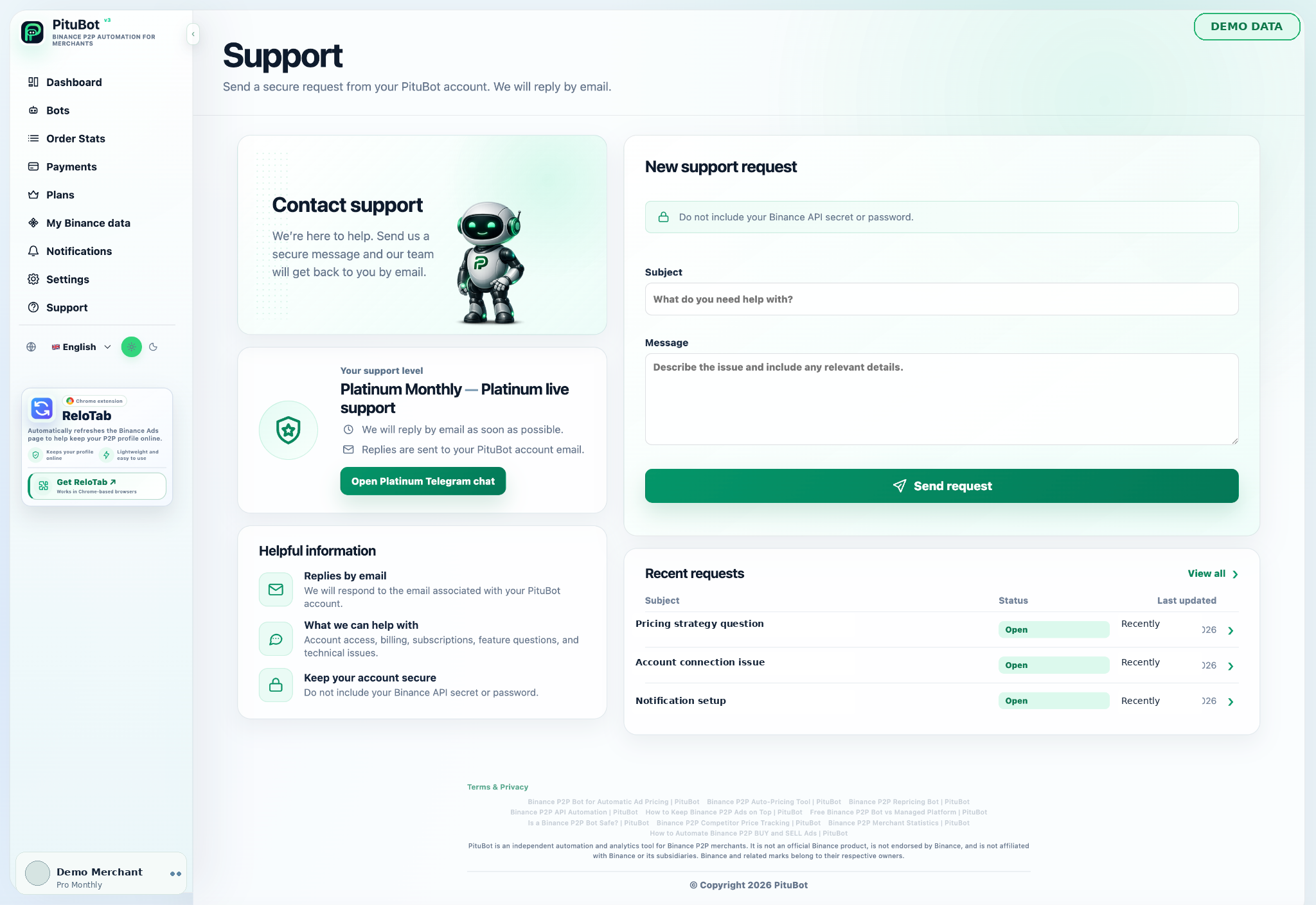
Use the protected PituBot support workspace for account, subscription, connection, automation, notification, or product questions.
How to contact PituBot support
Sign in before sharing account-specific details so the request is associated with the correct workspace. Never send an API Secret, password, two-factor authentication code, recovery code, or private payment credential in a support message.
What to include in a support request
- Use the signed-in support workspace for private requests
- Include useful context without including secrets
- Revoke exposed credentials directly at their source
How to Contact PituBot
For an account-specific request, sign in to PituBot and open Support from the application menu. The protected support workspace associates the request with the signed-in account and provides a safer place to discuss relevant product context than a public page or social post.
If you cannot sign in, use the normal login and account-recovery flow first. Do not create a second account with the same email merely to open a request.
What Support Can Help With
A support request can cover account access, plan or subscription questions, payment review, Binance advertiser validation, API connection errors, bot configuration, price-update warnings, order synchronization, browser or Telegram notifications, and general product behavior. Describe what you expected, what happened, and the approximate time of the event.
Support can explain the PituBot interface and investigate product records available to the workspace. It cannot change Binance marketplace rules, guarantee an advertisement position, confirm an external payment on your behalf, or provide financial, tax, legal, or investment advice.
Information That Helps an Investigation
Include the affected PituBot page, the bot or advertisement identifier shown in the interface, the selected BUY or SELL side, the approximate date and time with time zone, and the exact visible error message. A sanitized screenshot can be useful when it excludes account secrets, private counterparties, and unrelated personal information.
For pricing behavior, include the configured boundary and the relevant payment-method or competitor filter. For a notification issue, include the channel and whether browser permission or a Telegram destination was configured. This context is more useful than sending private credentials.
Never Send Secrets to Support
Never place an API Secret, Binance password, PituBot password, two-factor authentication code, recovery code, full payment credential, or private key in a support request. PituBot support does not need those secrets to review a product issue and will not ask you to publish them.
If a credential may have been exposed, do not wait for a support reply before securing it. Revoke or delete an exposed Binance API key in Binance API Management, replace an exposed Telegram bot token through Telegram, and change an exposed account password through the service that issued it.
Before Opening a Request
Check whether the account session is still active, reload the relevant page once, confirm that the intended merchant account and advertisement remain available, and review recent notices or bot activity. For an API issue, verify that the dedicated key remains enabled with only the required permissions and that withdrawals remain disabled.
These checks can clarify the request, but they should not be used to bypass an account restriction or broaden API permissions beyond what PituBot documents.
Privacy and Response Expectations
Share only the information needed to investigate the issue. Support records may contain the request text and associated account context needed to respond. Consult the current Terms and Privacy information for the legal description of data handling.
Response timing can vary with request complexity and availability. This page does not promise continuous or instant support. If an issue involves suspected account compromise or exposed credentials, secure the affected account and revoke the credential immediately rather than waiting for a response.
PituBot controls to review
Account context
A signed-in request can be associated with the correct PituBot workspace.
Sanitized evidence
Page names, timestamps, identifiers, and redacted screenshots can help without revealing secrets.
Credential safety
Exposed credentials should be revoked at the issuing service immediately.
Practical workflow
Sign in
Open the protected Support area from the PituBot application menu.
Describe
State the page, expected behavior, actual result, and approximate event time.
Sanitize
Remove API Secrets, passwords, authentication codes, private keys, and personal payment data.
Submit
Send the request and keep exposed credentials revoked while the issue is reviewed.
Example: a useful price-update request
A merchant reports the bot name, selected SELL ad identifier, visible warning, configured minimum price, relevant payment method, and the event time with time zone. The screenshot hides all credentials and personal details. If the API key was exposed, the merchant revokes it before submitting the request.
Frequently Asked Questions
Where do I submit an account-specific support request?
Sign in and open Support from the PituBot application menu.
Should I send my Binance API Secret?
No. Never send an API Secret, password, authentication code, recovery code, or private key to support.
What should I include for a bot issue?
Include the page, bot or ad identifier, side, expected and actual behavior, visible error, and approximate time with time zone.
What should I do if a credential was exposed?
Revoke or replace it immediately through the service that issued it, then report only sanitized context.
Can support guarantee an ad position or trading result?
No. PituBot cannot guarantee market placement, order volume, profit, or another financial result.
Is support guaranteed to reply instantly?
No. Response timing varies with request complexity and availability; secure urgent account or credential issues immediately.
Which exchanges can I connect to PituBot?
Connect Binance, OKX, Bybit and Bitget to PituBot. Explore the free P2P scanner and manage supported exchange tools in one workspace. Available features depend on the exchange and your account permissions.
Contact PituBot support securely
Sign in to open the protected support workspace, or create an account if you are evaluating PituBot for the first time.