
PituBot · Binance · OKX · Bybit · Bitget
How to Keep Binance P2P Ads Competitive
Keeping a Binance P2P ad competitive is about relevance, not a permanent promise of first place. Price, payment methods, transaction limits, availability, merchant conditions, and live marketplace behavior all influence what a buyer sees.
Factors that affect ad visibility
Track the comparable ads for your exact pair and payment methods, set a pricing range, and review your ad availability. Automation can help with monitoring, but it cannot guarantee placement.
Ad visibility factors to monitor
- Compare the same pair and side first
- Match payment methods and practical order limits
- Use a defined range instead of an uncontrolled price race
Why ad position is more than a number
A displayed price is only one part of an offer. A buyer also evaluates the available payment methods, the minimum and maximum order limit, stock, merchant conditions, and whether the offer is active. An ad can look cheaper but be unusable for the buyer or irrelevant to your own transaction range.
For that reason, no tool can promise a permanent top position. Binance controls marketplace presentation and eligibility, while buyers make their own selection. A better objective is to maintain a deliberate, comparable offer within your own boundaries.
- Price
- Relevant payment methods
- Active availability and order limits
- Merchant and exchange conditions
Build a relevant competitor set
Start with the same asset/fiat pair and the same BUY or SELL side. Then select payment methods your ad actually supports. Review the transaction range: an offer limited to a small amount may not compete with an ad aimed at larger orders.
Avoid using inactive listings or offers that would not satisfy the practical conditions of your own ad. PituBot competitor filters are useful only when they make the comparison more accurate.
Learn how PituBot filters competitor offers before a pricing decision.
Use pricing boundaries to avoid a race
A lower BUY price or a higher SELL price can be attractive in isolation, but a merchant should decide in advance what range remains acceptable. Set the relevant minimum or maximum for the selected ad, then evaluate market movement inside that range.
A boundary does not guarantee position. It does stop an automated reaction from crossing a decision the merchant has already rejected. This is particularly important when a sudden market move is driven by offers that are not truly comparable.
- Define your own operating range
- Review the estimate after filter changes
- Pause rather than forcing an uncertain update
Illustrative relevant-versus-irrelevant comparison
Illustrative case: your USDT/USD SELL ad accepts a selected payment method and serves orders from 500 to 3,000 USD. A cheaper SELL listing uses a different payment method and has a maximum below 500 USD. It is visible in the marketplace, but it is not a direct target for this strategy.
A second active SELL listing accepts the same selected payment method and overlaps the intended order range. That listing is a more useful comparison. The merchant can decide how closely to position the ad while respecting the configured floor.
Operational mistakes that reduce relevance
Common mistakes include comparing BUY to SELL offers, including every payment method without checking whether it is offered, copying an inactive advertisement, and leaving limits unchanged after the business objective changes. These are configuration problems, not reasons to push a price further.
Review the ad after changes to stock, payments, order limits, or availability. PituBot can organize the comparison, but the merchant remains responsible for the offer they publish.
- Wrong side
- Wrong payment method
- Wrong limit range
- Inactive or stale comparison
Position starts with relevance, not the lowest displayed number
Marketplace position depends on live exchange conditions that PituBot cannot control. The useful task is to distinguish an offer a customer could actually use from one that only looks attractive in a list. A competitor with a different payment method, unsuitable limit, inactive status, or different trade side may not be a meaningful reference for your ad.
Review availability and the order range as carefully as the price. An ad that is not available for the intended customer or does not overlap the customer’s transaction size can lose relevance even with a competitive number. Automation can monitor the configured comparison set, but no tool can promise a particular Binance ranking.
A measured visibility review
Use a defined observation period rather than making several rapid changes after one list refresh. Note the relevant offers, your ad availability, and the order range you intend to serve. If a market changes quickly, a short pause and a review of the strategy can be more sensible than widening price limits to chase every move.
The aim is a usable offer for the merchant’s chosen conditions. It is not a guarantee that an ad will occupy a specific place, because ranking and marketplace presentation remain controlled by Binance.
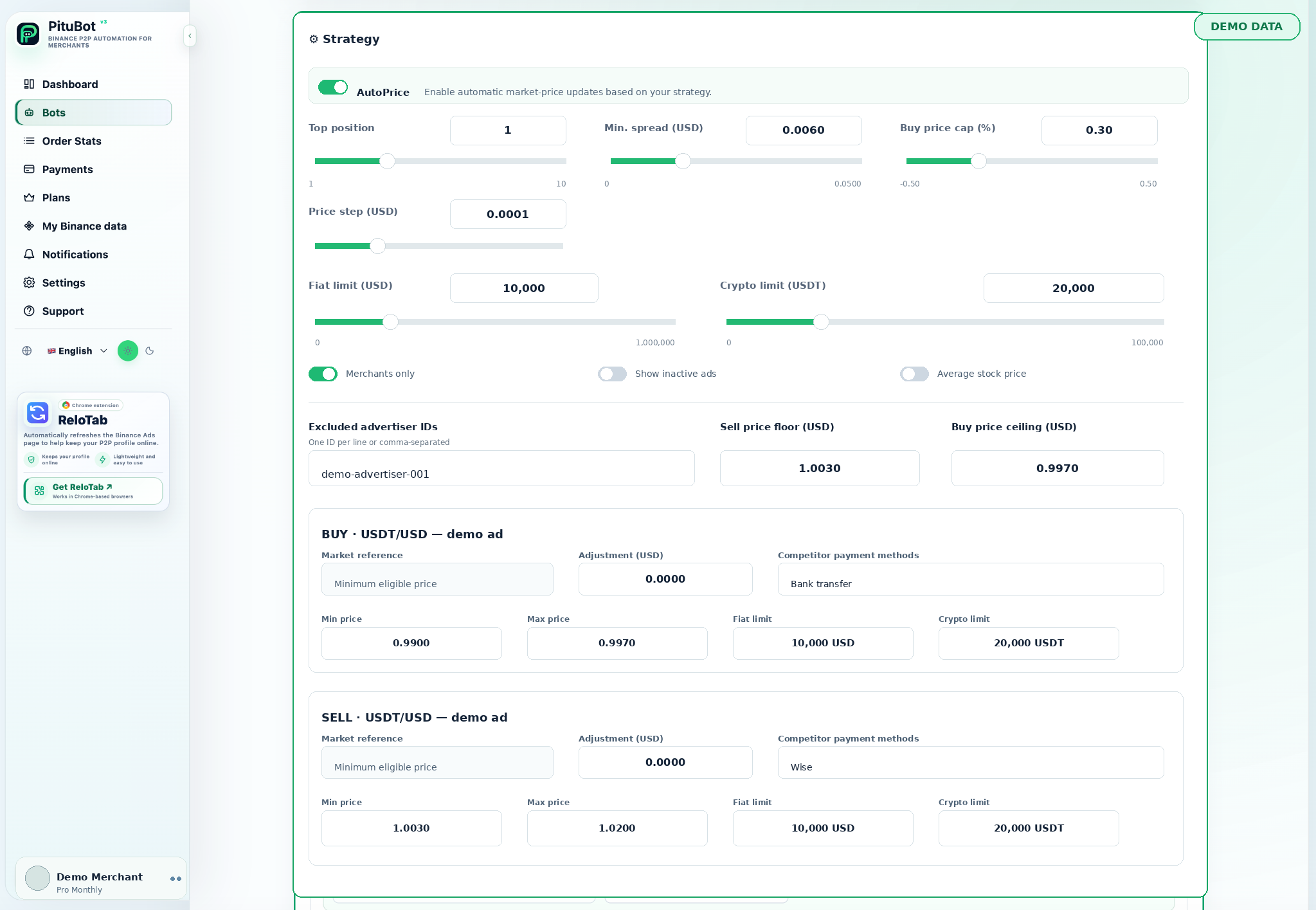
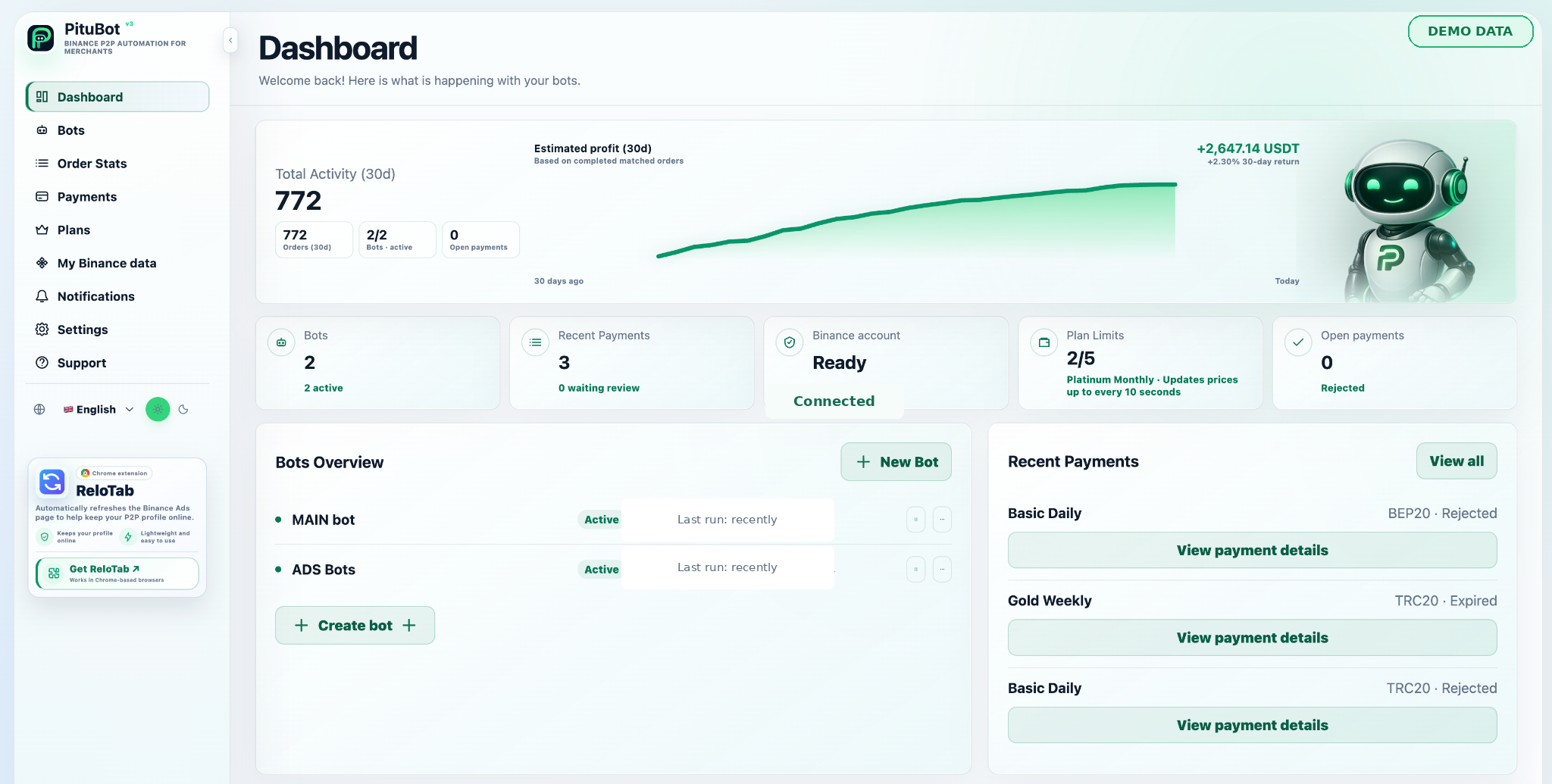
PituBot controls to review
Comparable-offer view
Compare practical conditions rather than a raw market list.
Per-ad payment selection
Choose the payment methods relevant to each ad.
Price boundaries
Keep automated reactions inside your operating range.
Practical workflow
Check the pair and side
Do not compare BUY and SELL listings as one market.
Match payments
Keep only payment methods buyers can actually use with your ad.
Check limits
Compare overlapping transaction ranges.
Set a range
Define a floor or ceiling before enabling updates.
Review often
Update the rule when the offer itself changes.
A practical ad-position review
A merchant sees a price that appears better than their own ad. Before changing anything, they check the payment method and limits. The listing is not compatible, so it is excluded. The merchant then reviews a matching listing, compares it against their configured boundary, and chooses a conservative position.
The result may be a change, or it may be no change. The useful outcome is that the decision is based on the same market conditions a potential buyer can actually use.
Frequently asked questions
Can PituBot guarantee that my Binance P2P ad is first?
No. Binance marketplace placement and buyer decisions are outside PituBot's control.
Which competitor ads should I compare?
Start with the same pair and side, then match practical payment methods, active status, and transaction range.
Does the lowest price always win?
Not necessarily. Payment method, limits, availability, merchant conditions, and live marketplace behavior also matter.
Why should inactive ads be excluded?
An inactive listing cannot serve a live buyer, so it can distort a current pricing comparison.
Do order limits affect relevance?
Yes. An offer that cannot serve the same intended transaction range may not be a direct competitor.
How often should I review the strategy?
Review it when your payment methods, limits, stock, availability, or operating objective changes, and periodically while it is active.
Which exchanges can I connect to PituBot?
Connect Binance, OKX, Bybit and Bitget to PituBot. Explore the free P2P scanner and manage supported exchange tools in one workspace. Available features depend on the exchange and your account permissions.
Start your free PituBot trial
Create an account, connect only the merchant account and ads you intend to manage, then review the configuration before enabling automation.